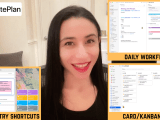
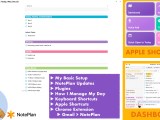
It’s almost 2026, which means it’s time for my annual How I’m Using NotePlan video. In this walkthrough, I focus on four things: Table of Contents: Shortcuts: I hope you found this helpful! Feel free to reach out if you have any questions about NotePlan or my workflow. And a huge thank you to all … Continue reading
Posted by Stacey Roshan …
🎂 How I’m Investing in My Health This Birthday: Walking Pad, Red Light & an Attitude Shift
Birthdays always feel like the perfect invitation for reflection, and this year, that reflection has been all about health. Over the past couple of years, I’ve been on a major wellness journey. A mix of overwork, perfectionism, and some bigger health challenges forced me to slow down and rebuild. It hasn’t been easy, but I’ve … Continue reading
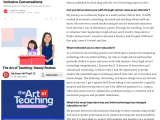
Leveraging EdTech to Reimagine Inclusive Conversations | McGraw Hill Feature
Article continued on McGraw Hill’s Inspired Ideas
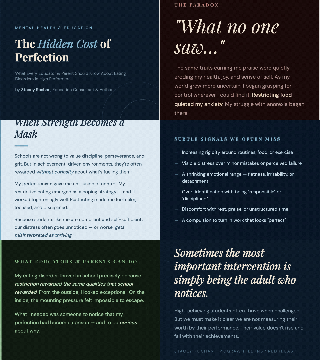
Eating Disorder Awareness Week: A Message to Teachers & Parents
Today marks the start of Eating Disorder Awareness Week. Having struggled with anorexia for most of my life, I have so much I want to say and share. Over the past two years, I’ve been on the biggest wellness journey of my life, and I’m working to share my experiences forward in a meaningful way. … Continue reading
My Productivity Workflow 2025: Task Management + Apple Shortcuts + Gmail Chrome Extension with NotePlan
My annual productivity workflow video is live! NotePlan remains my all-in-one app. It’s the most customizable and secure productivity tool out there, IMO. Think of it as a collection of text files you own, wrapped in a beautifully functional system of daily, weekly, monthly, and yearly notes, along with project notes, a fully integrated calendar, … Continue reading
What’s New in Pear Deck – AI Generated Content, Auto-Graded Questions, & More
Pear Deck has had a major upgrade! And you know I’ve got you covered with a quick walkthrough of everything new including: ▶︎ AI Generated & Certified Content▶︎ Auto-Graded Question Types▶︎ New Submit Button▶︎ Bar & Pie Charts▶︎ By Student Score Breakdown
Reblog: A Message to Fellow Educators As We Embark on a New School Year
Looking to make ANY presentation stand out? It’s a breeze with mmhmm
Is it possible to present bar charts without putting your audience to sleep? As a math teacher, even I cringe at the thought of sitting through these types of presentations. Let’s see what we can do to liven up a static presentation with mmhmm. Whether you’re creating a recorded presentation or presenting live, mmhmm can … Continue reading
Custom Thumbnails on ANY Platform, Hacking it with Canva & mmhmm
It’s all about the thumbnail! With social media these days, making that thumbnail pop to capture your audience’s interest can make all the difference in your click-through rate. Many platforms allow you to upload a custom thumbnail, but not all. Let me show you my process for creating my thumbnails in Canva and then a … Continue reading
The Daily Author Podcast | Start with Your Why #TechWithHeart
I had the opportunity to join Owen Sammarone on his podcast, The Daily Author, to discuss how my book Tech with Heart came to life and how my career has evolved since its publication. Take a listen below if you’re interested in hearing more. I hope you enjoy it!