My principal lead us in a wonderful closing meeting today, and I wanted to take a moment to share the structure of this meeting with other principals to gain inspiration from. In our 2-hour division meeting, Bobby (my principal) lead us in an activity that was so thoughtfully constructed and showcased many best teaching practices. … Continue reading
Posted by Stacey Roshan …
Human Geography Cornerstone Assessment @BullisSchool: Megacity Project Using @Weebly, @SutoriApp, @GoogleMaps #edtech
If you’ve followed my blog for a while, you’ve heard me talk about the Megacity Project that all 9th grade students complete in their Human Geography course. This final cornerstone assessment engages students in an extended study analyzing how megacities are transforming the world. It’s hard to believe that this is our fourth year assigning this … Continue reading
#Productivity Hacks — #InboxZero, Part 2: @NewtonMailApp vs @SparkMailApp – Pros/Cons/Wishlist
Last week, I wrote a post: #Productivity Hacks – #InboxZero with @Newtonmailapp: First Impressions. In that post, I shared that I had been using Spark for nearly a year, but was running into some stability issues with the App. So, I decided to trial Newton. In this post, I wanted to share some things I love … Continue reading
#Productivity Hacks – #InboxZero with @Newtonmailapp: First Impressions
I am an Inbox Zero kind of person. For years, now, I’ve used this method. How I manage my inbox is largely in thanks to email apps that allow you to “Snooze” emails. Now, I don’t abuse this feature just to get my email down to 0 at the end of the day! But using … Continue reading
Quick Tip: @PearDeck – Creating a Handout & Publishing an Answer Key #edtech
As we head into the end of the year and we are creating final reviews, Pear Deck can be a fun way to engage the entire class in review activities. In this post, I want to share two ways to make this material available for students to come back to after class. How to create … Continue reading
Create a Screencast Using Zoom @zoom_us #edtech #flipclass
I have been using Zoom for video conferencing this year (to hold synchronous sessions with my online students). Since we are already using this platform as part of the class, I thought that I’d share how Zoom can also be used to create Screencasts. This is an option for teachers trying to flip their class. This … Continue reading
Time Pressure, Mistakes, and Hand Raising
Pencils down, time’s up. Flashcards out — and ready, set, go! Capture all multiples of 5 before the timer is up, or game over. In elementary school, this is how I felt about math. I was always being timed. And I could never finish in time. Tests made me panic, I had to count on … Continue reading
Final Project #EdTech Ideas @AdobeSpark @EDpuzzle @PowToon @weebly @SutoriApp @PearDeck @flippitynet
As we are nearing the end of the school year, I wanted to pull together just a small sampling of ideas for final projects to share with teachers at my school. So naturally, I figured I would share these resources with my blog audience, as well! Create a Jeopardy-style game in Google Spreadsheets using Flippity.net … Continue reading
Using Technology to Personalize Learning @PearDeck @EDpuzzle #flipclass #blendedlearning #edtech
When I first began flipping my math classroom in 2010, the ability to screencast, upload to the web, and have students be able to watch lectures at their own pace was exciting and innovative. Though that was a step in the direction to a more personalized, student-centered classroom, tech tools that have emerged in the … Continue reading
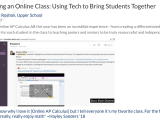
Teaching an Online Class: Using #EdTech to Bring Students Together @SlackHQ @zoom_us @wacom @PearDeck
Teaching Online AP Calculus AB this year has been an incredible experience – from creating a differentiated learning experience for each student in the class to teaching juniors and seniors to be truly resourceful and independent. “I don’t know why I love it [Online AP Calculus] but I tell everyone it’s my favorite class. For … Continue reading
 techieMusings