I have written in the past about using Wacom’s Bamboo Slate to literally go from notepad to computer & classroom projector, wirelessly: From Notepad to Computer Screen: Projecting Handwritten Work in Real-Time w/out a Tablet PC – Using Wacom’s Bamboo Slate Using Wacom’s Bamboo Slate, Zoom, & Slack to Teach Online Video: Take A Look Inside … Continue reading
Filed under Uncategorized …
Using @Grammarly: Rationale, Roll-Out Plan, and Video Tutorial to Orient Students #edtech
A couple years back, I kept hearing this question among many of the teachers I work with: how do we encourage proofreading? That led me to thinking: how are we helping students with this task and what technology can we offer to help students be better proofreaders? When I say how can technology help us … Continue reading
Creative Ways to Use @PearDeck Vocabulary (aka: Flashcard Factory) #edtech
You probably already know a thing or two about Pear Deck if you read this blog :) But you may not have tried using Flashcard Factory. The main purpose of Pear Deck Vocabulary is: “Increase retention and engagement with this fun, team-oriented vocabulary game! Let students work together to create the best example sentences and … Continue reading
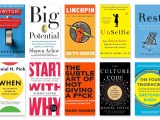
Notes from Some Summer Reading 2018 f/ @shawnachor @gretchenrubin @micheleborba @IAmMarkManson @askpang @DanielCoyle @DanielPink @simonsinek
Summer has flown by faster than seems possible given the number of days and hours we have in a summer. Part of that might be due to the fact that, last school year, as much of an effort I made to improve productivity and practice self-care, I just did not do a great job implementing … Continue reading
Project Inspiration: Using @SutoriApp in Math Class – Video Walkthrough
I wanted to share a video I created where I walk through two assignments that I had my AP Calculus AB students do this past year, both using Sutori. I’ve blogged about these ideas in the past, but sometimes it is helpful to see samples of student work to help imagine what the activity can … Continue reading
Reflections to Process Feedback & to Learn From Fails @Flipgrid #edtech #edtechchat #reflection
I was recently talking to some teachers on the topic of ensuring that students read the feedback they received on work they are handed back. And that conversation is the basis for this blog post… In the past couple years, as I have thought about the power of reflection in my teaching, I asked myself … Continue reading
Alarm, Inform and Inspire: Using @WeVideo to Create PSAs about the @UN #GlobalGoals for Sustainable Development @GlobalGoalsUN with @BullisHGS
Written with my colleague, Dr. Sara Romeyn, our Director of Humanities and Global Studies Students in Dr. Romeyn’s trimester elective, Contemporary Global Issues, were recently tasked with the job of investigating one of the United Nations’ 17 Sustainable Development Goals. After conducting research, students were asked to create a Public Service Announcement (PSA) of approximately four … Continue reading
Studying the Syrian Crisis in Contemporary Global Issues: Using @AdobeSpark to Create Visually Impactful Presentations with @BullisHGS #edtech
Written with my colleague, Dr. Sara Romeyn, our Director of Humanities and Global Studies The Class: The trimester elective, “Contemporary Global Issues,” allows students the opportunity to investigate the world and analyze current challenges and problems. Sophomores and Juniors in the class have explored a variety of contemporary crises, including the Cape Town, South Africa … Continue reading
Making & Marketing a Bar of Soap – Chemistry Class Infuses #MakerEd, #EdTech, & #DigitalMedia @WeVideo @EDUcre8ive
Written with my colleague, Dr. Celeste McDaniels, who teaches Chemistry. In our 2017-2018 chemistry class, students took up the challenge of integrating creativity with science and technology by making and marketing unique soap bars, utilizing chemistry and technology skills in our new Discovery Center building. Students began the project brainstorming a unique design for their … Continue reading
Sharing Some Best Practices for Using @PearDeck #edtech
I created a series of tips to share with teachers at my school that I wanted to share out here on my blog. These tips are related to using Pear Deck Takeaways and how to review individual student work (this requires that you have a Premium Pear Deck account). Before reading on, you’ll want to make … Continue reading