A huge thank you to Alice Keeler for the opportunity to write a guest post on her very amazing blog – Teacher Tech with Alice Keeler. In my guest post: Pear Deck + New Google Slides Add-ons, I talk about how I use Pear Deck to: Engage each learner in the classroom; Gauge how students … Continue reading
Filed under Uncategorized …
Email Challenge – Taking Control of my Inbox #Productivity #InboxZero @boomerang
For the past year, I have been doing research with some of my colleagues on productivity strategies. A group of us formed a PLC, and we are continuing our work this year. One of our primary goals in this PLC is to think about not only what we are doing to boost personal productivity but, … Continue reading
October Reads: @CallingIshmael Project with @BullisSchool Students & Staff #edchat #edtech @flipgrid
It’s October, so time to switch up the stories in our Call Me Ishmael payphone! This month, we again featured stories shared by students in Lower School, Middle School, and Upper School as well as an administrator, a teacher, and a staff member. To add something fun to the mix, we tapped into a project that … Continue reading
The Must-Have Tools in My #FlippedClassroom – Featured Article in @EdSurge (@PearDeck @EDpuzzle) #edtech
It was an honor to have a chance to write an article for EdSurge about The Must-Have Tools in my Flipped Classroom. This article is not about the screencasting tools I use to create my flipped classroom videos. Actually, my whole point in the piece is that it is not so much about the tools … Continue reading
Google Slides Updates @google @GoogleForEdu #GSuiteEDU #edtech
Google Slides has recently come out with some exciting updates. You may have already read about my excitement about the Pear Deck Add-on! I wanted to share a couple other great updates in this post: 1. Add-ons for Google Slides Add-ons are now available in Google Slides. Students might be interested in installing Unsplash, which provides … Continue reading
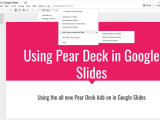
A #PerfectPear: The All New Pear Deck for @Google Slides @PearDeck @GoogleForEdu #edtech
Pear Deck has released a super exciting update that I’m so excited to share — integration with Google Slides! All you have to do is install the Pear Deck add-on and then you’ll be able to add in the interactive question types available through Pear Deck right within Google Slides! This is brand new. As … Continue reading
Creating @Flipgrid Private Channels for Questions & Reflections in Online AP Calculus
It’s year two of teaching a purely online section of AP Calculus AB for me. Last year, I focused a lot of energy on finding ways for the class to collaboratively work through problems – both orally (using Google Hangouts) and through written chat (using Slack). This year, I wanted to add in more private … Continue reading
@CallingIshmael Project Update @BullisSchool – Sharing Books We Love To Build Community & Empathy
You may remember my excitement about the Call Me Ismael Project that we began last year at my school – to help our school community share and discover great books. Beyond talking about books we love, our goal is to have students and teachers add a personal touch in their featured recordings (why the book … Continue reading
Learn All About @Buncee with My New @kytelearning Course #edtech
I am really excited to share a series of video tutorials that I just put together for Kyte Learning. The series talks about using Buncee in the classroom. Full Kyte Learning Course — Buncee Topics range from getting started to tips and tricks for creating well designed Buncee’s to inspiration for how you might use … Continue reading
From 1:1 to 1:World @Flipgrid Discussion by @sewilkie #edtech @globalearner @SocraticOrg @Flipgrid
Sara Wilkie posted a Flipgrid question — From 1:1 to 1:World. This is a concept Alan November has written much about and is an important conversation for us all to be talking about. So I was happy to see that Sara has opened up the discussion for us! As I thought about what I wanted to … Continue reading
 techieMusings