I’m excited to share some ideas for using Xencelabs Quick Keys, which allows you to set up to 40 customized shortcuts to improve your workflow in any app. In my demo and review, I share a step-by-step walkthrough of how I’ve set up my Quick Keys. Not only do I share the more traditional way … Continue reading
Posted by Stacey Roshan …
.@ShakeUpLearning Podcast: How #EdTech Can Help Build Relationships, Ease Anxiety, and Empower Learners!
I am excited to share that I had an opportunity to be on Kasey Bell‘s podcast. I have been so inspired by Kasey’s work for years. She puts out countless resources for educators and so generously shares practical tips & pedagogically sound practices. I am truly appreciative for all that Kasey has done in the … Continue reading
Collaborative whiteboards and explainer videos made simple with @Wacom and @explainevrythng #edtech #blendedlearning #flipclass
In this webinar, I share how Explain Everything, paired with a Wacom tablet, can be used: as a collaborative whiteboard solution for brainstorming on an infinite canvas; as an all-in-one tool to create, edit, & share explainer videos. I talk through a variety of tips and trips, including simple editing features within Explain Everything. Tune … Continue reading
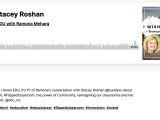
I Wish I Knew EDU Podcast Episode with @RamonaMeharg #edtech #flipclass #TechWithHeart
I had a chance to join Ramona Meharg on her podcast, I Wish I Knew EDU. Catch part 1 of my episode where we talk about innovation in edtech, flipped classroom, the power of community, and what inspired me to write my book, Tech with Heart. E167 P1 Stacey Roshan | I Wish I Knew … Continue reading
A Walkthrough of the New @Flipgrid Camera Features + the Updated Flipgrid Educator Dashboard #edtech #FlipgridForAll
Each summer, Flipgrid releases amazing updates for back-to-school. This year did not disappoint with Flipgrid backdrops (think virtual backgrounds/greenscreen), lenses, music, GIFs, and more! I put together two video overviews that I hope will be helpful — 1. The New Flipgrid Educator Dashboard Experience 2. The New Flipgrid Camera — A Full Introduction to All … Continue reading
Back to the Classroom with @PearDeck #edtech #backtoschool
<< Full article featured on the Pear Deck Blog >> I have heard from countless people that Pear Deck was an absolute lifesaver during remote learning. As we plan for students to get back into classrooms, though, I’ve heard many teachers ask whether Pear Deck will stick. The funny thing is that Pear Deck was … Continue reading
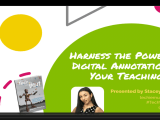
Harness the Power of Digital Annotation in Your Teaching w/ @Wacom & Kami @usekamiapp #edtech
In this recorded webinar, I walk you through how to use the Kami paired with a Wacom tablet in a number of engaging and effective ways. Kami empowers students and transforms the way educators teach, provide feedback, and assess. With Kami, students can enjoy annotating text and editing documents, and teachers can markup, discuss, and … Continue reading
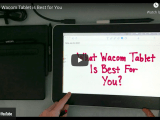
Analog Meets Digital: Which Wacom Tablet is Best for You? (plus a PROMO code for educators)
I am a huge fan of analog meets digital. While I love handwriting, both searchability and anytime, anyplace accessibility are priorities for me. For years now, I have been relying on my Wacom tablet to give me the best of both worlds. I use a Wacom tablet in my teaching (to create flipped math lessons, … Continue reading
Some Flipped Classroom Inspiration f/t @khanacademy @wacom @explainevrythng #edtech #flipclass #flippedclass
Earlier in the summer, I had the opportunity to join forces with Khan Academy, Wacom, and Explain Everything to give some guidance to teachers on creating Flipped Classroom videos. In addition to providing some general strategies I’ve picked up over the years, I was able to share tools that I recommend to teachers trying to … Continue reading
Let’s Dive into Reflect & Review in @PearDeck #feedback #reflection #edtech
Pear Deck recently released Reflect & Review to “help create more powerful learning moments after the session ends.” Reflect & Review allows: students to review and reflect on prior work teachers to grade work & provide feedback by student teachers to choose when students can/cannot make revisions to their responses Here is a detailed walkthrough … Continue reading