If you’ve been reading my blog or watching my YouTube videos for a while, you know that I am very interested in the intersection of digital and analog. So when I learned about Boogie Board’s smart pen, I was interested in how this device can help students and teachers. This is where the Blackboard Smart … Continue reading
Posted by Stacey Roshan …
.@Canva Video: Video Editor + Screen Recorder #CanvaForEducation #edtech
Canva has just launched a new VIDEO EDITOR tool! It has been possible to create animated graphics for a while now in Canva, but the new release: brings a timeline editor mode to Canva allows you to record a video (with your webcam and/or a screen recording) directly in Canva includes free stock footage, music, … Continue reading
How I Use @PearDeck with a @Wacom Tablet for Instruction & Active Participation for Every Student #TechWithHeart #edtech
By intentionally integrating technology into lessons, teachers can give all students in the room an opportunity to share their voice and express their ideas in a format that best fits them. This session will highlight how to leverage Pear Deck with a Wacom tablet to: (1) provide a platform for all students to contribute and … Continue reading
.@Xencelabs Quick Keys Review Plus How to Customize for Any App Including as a Controller for @mmhmmapp
I’m excited to share some ideas for using Xencelabs Quick Keys, which allows you to set up to 40 customized shortcuts to improve your workflow in any app. In my demo and review, I share a step-by-step walkthrough of how I’ve set up my Quick Keys. Not only do I share the more traditional way … Continue reading
.@ShakeUpLearning Podcast: How #EdTech Can Help Build Relationships, Ease Anxiety, and Empower Learners!
I am excited to share that I had an opportunity to be on Kasey Bell‘s podcast. I have been so inspired by Kasey’s work for years. She puts out countless resources for educators and so generously shares practical tips & pedagogically sound practices. I am truly appreciative for all that Kasey has done in the … Continue reading
Collaborative whiteboards and explainer videos made simple with @Wacom and @explainevrythng #edtech #blendedlearning #flipclass
In this webinar, I share how Explain Everything, paired with a Wacom tablet, can be used: as a collaborative whiteboard solution for brainstorming on an infinite canvas; as an all-in-one tool to create, edit, & share explainer videos. I talk through a variety of tips and trips, including simple editing features within Explain Everything. Tune … Continue reading
I Wish I Knew EDU Podcast Episode with @RamonaMeharg #edtech #flipclass #TechWithHeart
I had a chance to join Ramona Meharg on her podcast, I Wish I Knew EDU. Catch part 1 of my episode where we talk about innovation in edtech, flipped classroom, the power of community, and what inspired me to write my book, Tech with Heart. E167 P1 Stacey Roshan | I Wish I Knew … Continue reading
A Walkthrough of the New @Flipgrid Camera Features + the Updated Flipgrid Educator Dashboard #edtech #FlipgridForAll
Each summer, Flipgrid releases amazing updates for back-to-school. This year did not disappoint with Flipgrid backdrops (think virtual backgrounds/greenscreen), lenses, music, GIFs, and more! I put together two video overviews that I hope will be helpful — 1. The New Flipgrid Educator Dashboard Experience 2. The New Flipgrid Camera — A Full Introduction to All … Continue reading
Back to the Classroom with @PearDeck #edtech #backtoschool
<< Full article featured on the Pear Deck Blog >> I have heard from countless people that Pear Deck was an absolute lifesaver during remote learning. As we plan for students to get back into classrooms, though, I’ve heard many teachers ask whether Pear Deck will stick. The funny thing is that Pear Deck was … Continue reading
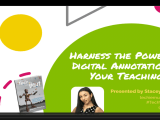
Harness the Power of Digital Annotation in Your Teaching w/ @Wacom & Kami @usekamiapp #edtech
In this recorded webinar, I walk you through how to use the Kami paired with a Wacom tablet in a number of engaging and effective ways. Kami empowers students and transforms the way educators teach, provide feedback, and assess. With Kami, students can enjoy annotating text and editing documents, and teachers can markup, discuss, and … Continue reading