I am excited to be at the FETC Conference this week. There are so many awesome friends I’m looking forward to catching up with and the expo hall is always amazing – I know I’ll learn so much from the vendors! While at FETC, I’ll have two sharing opportunities. I wanted to share the resources … Continue reading
Posted by Stacey Roshan …
Three Simple #Productivity Tips #edchat #edtech #edtechchat #pomodoro
At my school, we are spending the month of January talking about Seeking Balance in our Advisory program. I had the chance to share some simple productivity tips with students as one of the activities. I chose to keep things simple with the following — #1: Close Tabs to Avoid Distraction You have 5 projects … Continue reading
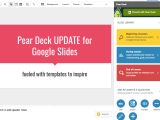
Get Inspired by @PearDeck’s New Templates to Take Your Lesson Design to the Next Level #edtech #gsuiteedu
Pear Deck has just rolled out a very exciting update to their Add-on for Google Slides. They have added in pre-designed templates to inspire & made the side-bar navigation even easier to use. Pear Deck’s new templates are yet another way to push teachers forward in rethinking how to build lessons and activities. They provide … Continue reading
Kafka on the Shore, Perfectionism, & My Teaching Philosophy @CallingIshmael @Flipgrid #HarukiMurakami @BullisLibrary
One of my all-time favorite authors is Haruki Murakami. His books have this surrealist tone and a consistent interweaving of the conscious & unconscious. My head is always left spinning and wondering as I read a Murakami novel, and I love how these books force me to imagine and make my own connections between scenes … Continue reading
My #OneWord2018 :: FOCUS
I recently read a blog post by Corey Thornblad and Gretchen Hazlin — Forget the New Year’s Resolution. Try a Teaching Intention. A perfect read for winter break! Some of my key takeaways from that read were: Can you set a one-word intention for the year? How can this one-word intention for your teaching practice guide you through the rest … Continue reading
Inspiration: Ideas for Using @SutoriApp #edtech #reflection
Sutori is a great tool to help students document their work throughout a project, to create a final presentation, or to create a timeline of events. Sutori will help students tell their story and process in a visually appealing format. I have written about Sutori before: Documenting Growth & Reflecting on Connections in #APCalculus Using … Continue reading
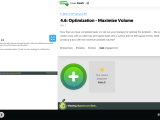
Using @PearDeck w/Embedded @Flipgrid Question to Develop Deeper Connections – Modeling Optimization Problems #edtech #mathchat
If you follow me on Twitter, you’ll see that I recently tweeted that one of my new goals is to use Pear Deck to create student-paced activities with questions that ramp up in difficulty to help students discover new ideas & promote higher-order thinking skills. Since I find that having students chat their ideas out … Continue reading
Using #EdTech to Enhance Creative Learning, f/t in @InnovateMySchl @EDpuzzle @Flipgrid @SlackHQ
I am excited to share a post that I had a chance to write as part of Innovate My School’s Accelerating Creativity series! I am entering into my 11th year teaching. Looking back on my journey, it is clear to me that my fascination with technology and its role in the classroom has been the most … Continue reading
Documenting Growth & Reflecting on Connections in #APCalculus Using @SutoriApp + @Flipgrid + @SocraticOrg
Since the start of the year, my AP Calculus students have been documenting growth, reflecting on new connections formed, and talking through learning strategies that have been working for them through Flipgrid reflections, corrections to homework, and in creating self-made study guides. In the second trimester, we will formalize these activities, with a final project … Continue reading
Creating Infographics & Visually Impactful Presentations: Getting Started with @Canva #edtech
Infographics are a great way for students to visually represent information they are learning about. There are a variety of infographic tools out there, including Canva, Piktochart, Infogram, and Easelly. In this post, I wanted to focus on Canva. I’ve selected this tool because I find it the easiest to get started with (they even … Continue reading