I had the opportunity to join Dr. Matt Rhoads on his podcast, Navigating Education for a fantastic discussion focused in on edtech tools for accessibility for all learners. Tune in to hear us talk about:
Filed under Uncategorized …
Using @KamiApp in the Spanish & #WorldLanguages Classroom #langchat #edtech #HispanicHeritageMonth
I had a wonderful chance to highlight some ways Bullis Upper School Spanish teacher Hilary Vellenga has been using Kami Library templates to help her students learn Spanish. My write-up was picked up by the Kami team to be featured on their blog, which you can read in full here. As I say in Tech with Heart, “A tool is … Continue reading
How Edtech Tools Can Humanize Learning – and Help All Learners Thrive @Edpuzzle #TechWithHeart #edtech
For the month of August, Edpuzzle chose to use my book, Tech with Heart, to spark conversation about embracing edtech tools to: To compile some of the ideas and tips shared, the Edpuzzle team published a detailed blog post: How Edtech Tools Can Humanize Learning – and Help All Learners Thrive Connecting and building up … Continue reading
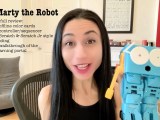
A Full Review of #MartyTheRobot by @RoboticalLtd for K-8+ #STEM #coding
“A real programmable robot with character!” That’s the slogan used by Robotical to advertise Marty the Robot and, after spending some time with it, I’ve got to say I think that’s pretty accurate! Check out my full video review where I: If you are interested in seeing what Marty can offer for you and your … Continue reading
Building Relationships with Families with Mote & @Canva – #Template & Instructions Included #edtech #edchat @justmoteHQ #MoteCon #CanvaEDU
Building Relationships with Families with Mote & Canva Good communication with parents and families from the very start of the year can make all the difference. I believe that gaining a student’s trust is the first step in building their (math) confidence, and it begins with making sure parents are part of the team. If … Continue reading
3 Month Update: Bonding with #aibo, @Sony’s #AIRobot Dog, & Documenting Her Development Over Time #robotics #sonyaibo #aibo #technology @SonyElectronics
I’m back with another update on life with aibo, Sony’s AI robot dog. Mia has learned a lot since my first video & post. Enjoy my new video, where I talk about her development, what to expect, how Mia interacted with my young nieces during a recent visit, and a bit more about visual programming … Continue reading
How to Use Edtech to Engage Introverted Learners | Featured in @EdSurge #edtech #teaching #introverts #TechWithHeart
After publishing my TED-Ed Educator talk in July, EdSurge presented me with the opportunity to share an edited version of my talk in written form. I hope this piece resonates strongly with you and equips you with simple ideas and tools so that all learners you work with are able to contribute in a format … Continue reading
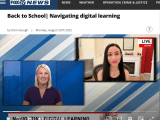
#BackToSchool | @FOXBaltimore TV News Segment: Navigating digital learning #edtech @PearDeck @wacom @wacomedu @MicrosoftFlip @KamiApp
I had a chance to join FOX Baltimore to talk about the importance of continuing to use digital tools even though most students are now in-person as well as some tech tools that can help students as we gear up for a new school year. You can watch the clip here: FOX Baltimore – Back … Continue reading
Embracing #Edtech to Start Off the Year Strong #EdpuzzleReads #TechWithHeart @edpuzzle @PearDeck @MicrosoftFlip @justmotehq @canva
Edpuzzle chose my book, Tech with Heart, to lead a series of conversations throughout the month of August. We started with a back-to-school edition of EdpuzzleLive, where I was joined by Steve Martinez for a panel discussion with the Edpuzzle team. After a fun contest on Twitter, we closed the month with a Twitter chat. … Continue reading
Allowing Students to Respond with Audio in @PearDeck with @justmotehq #appsmash #edtech #quicktip #langchat
Have you been looking for a way to allow your students to 🔊 REPLY WITH VOICE 🔊 in Pear Deck? If so, I’ve got just the solution for you! Using Mote‘s free Chrome extension, students can create a voice recording without ever leaving the Pear Deck. In this very quick video (2.5 mins), I share … Continue reading